
The modern open source WordPress alternative
Build visually, keep full control — without the complexity of WordPress.
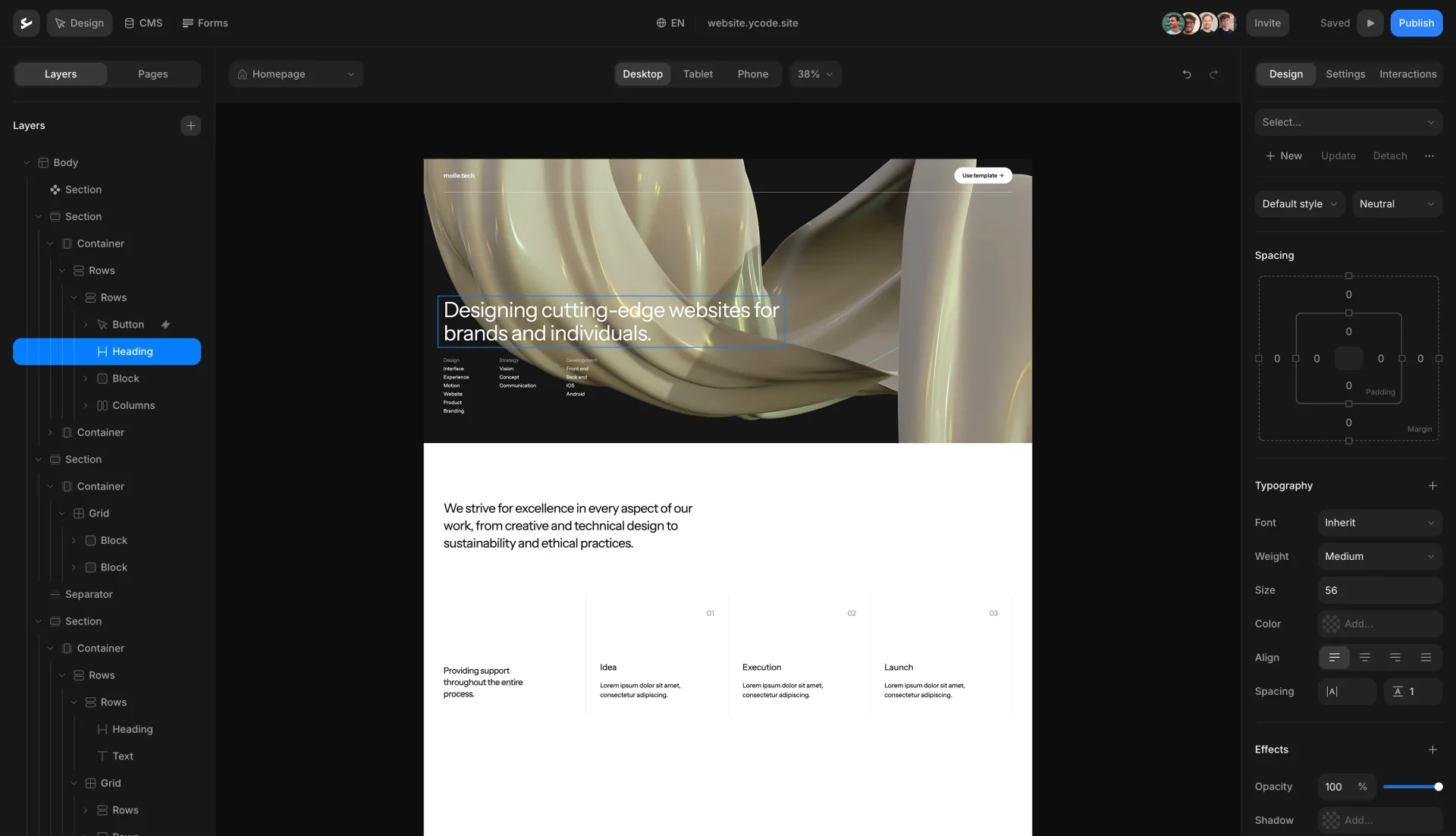

WordPress has been the standard for building websites for years. It offers flexibility and full control, but that often comes with added complexity.
Setting up a WordPress site typically involves managing themes, plugins, hosting, updates, and performance. As your project grows, maintaining everything can become more time-consuming and harder to scale.
What starts as a simple setup can turn into a system with many moving parts, where even small changes require ongoing effort and coordination.
Ycode is built to keep the flexibility of open source, without the overhead that usually comes with it.
You can design your website visually, manage content in one place, and run everything on your own infrastructure without relying on plugins or complex setup.
As your project grows, your workflow stays consistent. No fragmented tools, no extra layers, just a system designed to scale while staying simple to manage.
What it means to actually own your website
No plugin dependency
Build and manage your website without relying on multiple third-party plugins.
Visual building, not manual setup
Design and structure your site visually, without dealing with themes or code-heavy workflows.
Open source, without the overhead
Like WordPress, Ycode is open, but built for a simpler, more modern workflow.
Your hosting, your choice
Run your project anywhere, without being tied to a specific provider.
Built to scale cleanly
Avoid the performance and maintenance issues that often come with complex WordPress setups.
Run Ycode yourself
Fork the repo, deploy it to Vercel, connect Supabase, and you’re ready to build.
1. Fork the repository
Create your own copy of Ycode on GitHub.
2. Deploy to Vercel
Launch your project in minutes using Vercel.
3. Connect Supabase
Add your Supabase and start building.
Pricing
Flexible pricing for self-hosting, cloud, and agencies.
Monthly
Yearly (Save up to 33%)
Self-host
Free
forever
Open source Ycode platform
Host on your own infrastructure
Full code access
Custom domains
Unlimited users
Unlimited pages
Unlimited CMS collections
Unlimited form entries
Unlimited languages
Community support
Cloud Basic
$10
$15
per project/month


Fully managed Ycode hosting
Automatic updates and maintenance
Global CDN and fast hosting
Custom domains
Unlimited users
Unlimited pages
5 CMS collections
Unlimited form entries
2 languages
Community & email support
Cloud Pro
$25
$30
per project/month

Fully managed Ycode hosting
Automatic updates and maintenance
Global CDN and fast hosting
Custom domains
Unlimited users
Unlimited pages
50 CMS collections
Unlimited form entries
Unlimited languages
Community & email support
Releases
0.2.0
Adds collection filtering with pagination, dynamic sorting, and improved component overrides. Includes many fixes and UX improvements across publishing, filters, and the rich-text editor.
Mar 3, 2026
Build with the community
Connect with designers, creators, and founders building and sharing with Ycode.
Join us on Discord"I switched to Ycode from Webflow due to its competitive pricing and ease of use. The animation capabilities are both simple and powerful, and creating a gradient background takes just minutes. Ycode continually rolls out amazing features, and their responsive customer service is always ready to help."
Mercedes Madanire
Product leader & start-up advisor

"Thanks a lot to the Ycode team for building such a great tool!
PS: We switched from WebFlow to Ycode and what a good decision it was."
Pascal
Founder of Yuppa

"Top of the art tool for designing websites compared to Webflow. Also GDPR compliant in many ways and the team is engaging with the community on new releases."
Mikael Larsen
Designer at BK Aktiweb

"For me, it's the best option between WordPress and Webflow. It fits perfectly in my case."
Fabiano F
Marketing Project Manager

"If you're looking for a powerful and user-friendly Webflow alternative, Ycode is a top contender..."
Piotr Bak
Founder of Digital Agency

"We've been using Ycode for almost 2 years now, and it's been a great experience. We rebuilt our website and migrated from another CMS with minimal involvement from our IT department."
Olha L
Growth Marketing Manager

FAQs
Is there an open source alternative to WordPress?
Yes. Ycode is a modern open source alternative to WordPress that lets you build websites visually while keeping full control over your code and infrastructure. Unlike WordPress, you do not need to rely on themes, plugins, or complex setup to get started.
Can I self-host a WordPress alternative?
Yes. Ycode is fully open source, which means you can run your website on your own infrastructure. You control hosting, deployment, and performance without being tied to a specific provider.
Why are people looking for WordPress alternatives?
Many users start looking for alternatives when managing WordPress becomes too complex. Common reasons include plugin dependency, ongoing maintenance, performance issues, and the need for a more modern workflow.
What are the limitations of WordPress?
WordPress is flexible, but often requires multiple plugins, themes, and manual configuration. This can lead to slower performance, security risks, and ongoing maintenance. As projects grow, managing everything can become time consuming and harder to scale.
What is a modern open source website builder?
A modern open source website builder gives you full access to your code while also providing a visual way to design and manage your site. It combines flexibility with a simpler workflow, reducing the need for manual setup or third-party tools.
Do I fully own my website with Ycode?
Yes. With Ycode, you own your website’s code, content, and infrastructure. You can host it anywhere, modify it freely, and continue using it independently of any platform.
Can I migrate from WordPress to Ycode?
Yes, but it usually involves rebuilding your website. WordPress projects often depend on themes and plugins, which do not translate directly. Many teams migrate when they want a cleaner setup and more control over their stack.
What are the benefits of using a WordPress alternative?
The main benefits are simplicity, performance, and control. You can avoid plugin dependency, reduce maintenance, and work with a more modern system while still keeping full ownership of your website.
Does Ycode include a CMS like WordPress?
Yes. Ycode includes a built-in CMS for managing dynamic content such as pages, blog posts, and collections. The difference is that everything is integrated, so you do not need additional plugins to structure or manage your content.
Your website should stay yours
© Ycode Inc. 2026